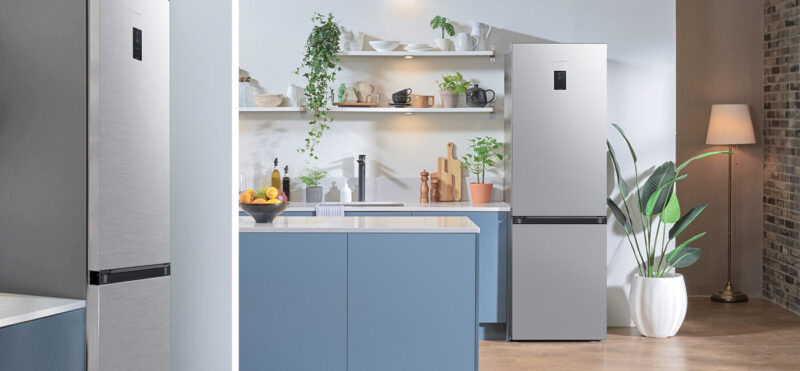
Samsung refrigerators are among the most popular on the market thanks to their reliability innovative features and modern design. One of the key functions of any refrigerator is the ability to adjust the temperature which helps keep food fresh for longer. In this article we will look at how to properly set the temperature in a Samsung refrigerator.
Basic principles of refrigerator operation
Before adjusting the temperature it is important to understand the basic principles of how a refrigerator works. Refrigerators like these consist of two main sections: the fridge compartment and the freezer. The fridge compartment is used for storing fresh foods such as vegetables fruits dairy products and prepared meals. The freezer is designed for freezing and long-term storage of food.
Optimal temperature settings
The recommended temperature for the fridge compartment is between +3°C and +5°C. This keeps food fresh and prevents premature spoilage. The freezer temperature should generally be -18°C or lower. This setting ensures effective freezing and prevents the formation of ice crystals.
Setting the temperature in a Samsung refrigerator
The process of adjusting the temperature in Samsung refrigerators may vary depending on the model but the general principles are similar.
Using the control panel
Most modern Samsung refrigerators are equipped with an electronic control panel located on the front or inside the fridge. This panel usually has buttons or touch controls for adjusting the temperature.
- Open the refrigerator door and locate the control panel.
- Find the button or touch control for adjusting the fridge compartment temperature.
- Press the button or touch the sensor to change the temperature. Usually the temperature changes in 1°C increments.
- Wait a few seconds after each adjustment to make sure the new value is saved.
- For the freezer find the corresponding button or sensor and repeat the adjustment process.
Using the mobile app
Some Samsung refrigerator models support Wi-Fi and have a dedicated mobile app for control. This allows you to adjust the temperature and other settings from your smartphone.
- Download and install the Samsung Smart Home app from the App Store or Google Play.
- Open the app and create an account or log in to an existing one.
- Add your refrigerator to the app following the on-screen instructions.
- Open the refrigerator control menu in the app and find the temperature adjustment options.
- Set the desired temperature for both the fridge compartment and the freezer.
Important tips
- Regularly check the temperature in both compartments especially if you notice changes in the quality of stored food.
- Do not overload the refrigerator as this can affect its efficiency and the even distribution of cold.
- Make sure the refrigerator doors are properly closed to prevent cold air from escaping.
Conclusion
Setting the correct temperature in a Samsung refrigerator is key to keeping your food fresh for longer. By following the instructions in this article you can easily and quickly adjust the settings ensuring the freshness and safety of your food.










Be First to Comment